Table of Contents
- What is Business Hosting?
- What is Shared Hosting?
- Business Hosting vs Shared Hosting: Full Comparison Table
- Performance Comparison
- Security Comparison
- Pricing Comparison
- Which Hosting is Best for Small Businesses?
- When Should You Upgrade?
- Common Mistakes
- Frequently Asked Questions
- Conclusion
What is Business Hosting?
Business hosting is a hosting plan built specifically for websites that need consistent speed, stronger security, and dedicated resources, without paying for a full dedicated server. Think of it as a step above standard hosting: your site gets its own guaranteed share of CPU, RAM, and bandwidth, so traffic spikes or heavy plugins on other sites never slow you down.
Under the hood, most business hosting plans run on optimized infrastructure such as LiteSpeed or NGINX, paired with solid-state drives, built-in caching layers, and free SSL certificates. Many providers also throw in daily backups, malware scanning, and priority support, because business owners cannot afford hours of downtime while waiting in a generic support queue.
Key Advantages of Business Hosting
- Dedicated resources. Your CPU and RAM allocation is reserved for your site, not shared unpredictably with hundreds of strangers.
- Faster page loads. Server-level caching and better hardware mean your homepage and product pages load in a second or two instead of five or six.
- Stronger security. Isolated environments, proactive malware scanning, and automatic patching reduce the chance a neighboring site’s problem becomes your problem.
- Priority support. Business hosting customers typically get faster response times and access to more experienced support technicians.
- Built for growth. Most plans allow easy upgrades to more CPU cores, more RAM, or more storage without migrating to a new server.
- Better uptime guarantees. Many business hosting providers offer 99.9% uptime SLAs, sometimes with service credits if they miss it.
Who Should Use Business Hosting?
Business hosting makes sense once your website is doing real work: generating leads, processing payments, or representing a brand that customers judge by first impressions. A few real-world examples:
- A law firm website that receives client inquiries and cannot afford to look slow or insecure to a nervous first-time visitor.
- A WooCommerce store processing orders daily, where every second of load time affects conversion rate.
- A marketing agency managing multiple client sites from one dashboard, needing consistent performance across all of them.
- A medical clinic collecting patient information through forms, where HIPAA-adjacent security expectations matter.
If any downtime or slowdown translates directly into lost revenue or lost trust, business hosting is worth the extra cost.
What is Shared Hosting?
Shared hosting is the entry point of the web hosting world. Your website sits on the same physical server as dozens, sometimes hundreds, of other websites, all splitting the same CPU, RAM, and bandwidth pool. It is the most affordable way to get a site online, and for many years it was the default starting point for nearly every new website.
Because the resources are pooled, shared hosting keeps costs extremely low. The tradeoff is that your site’s performance can be affected by what other websites on the same server are doing. If a neighboring site suddenly gets a traffic surge or gets hit by a bot attack, your site can slow down too, even though you did nothing wrong.
Pros of Shared Hosting
- Very low cost, often a few dollars a month.
- Beginner-friendly control panels like cPanel or Plesk, with one-click WordPress installs.
- No server management required. The hosting company handles the technical maintenance.
- Good enough for simple sites that do not expect heavy traffic.
Cons of Shared Hosting
- Resource limits are unpredictable. You are competing for CPU and RAM with unknown neighbors.
- Security risk from co-tenants. A vulnerability on another site on the same server can occasionally spill over.
- Slower during traffic spikes. A blog post going viral can bring your own site to a crawl.
- Fewer premium features. Daily backups, staging environments, and advanced caching are often add-ons or missing entirely.
- Support queues are longer, since one plan serves a huge volume of low-cost customers.
Who Should Use Shared Hosting?
Shared hosting is still a smart choice in specific situations:
- A personal blog or hobby project with light, predictable traffic.
- A portfolio site for a freelancer just starting out.
- A small local business with a simple five-page brochure site and no online transactions.
- Anyone testing an idea before committing budget to a bigger plan.
If your website is not yet generating revenue and downtime would be an inconvenience rather than a financial loss, shared hosting is a reasonable starting point.
Business Hosting vs Shared Hosting: Full Comparison
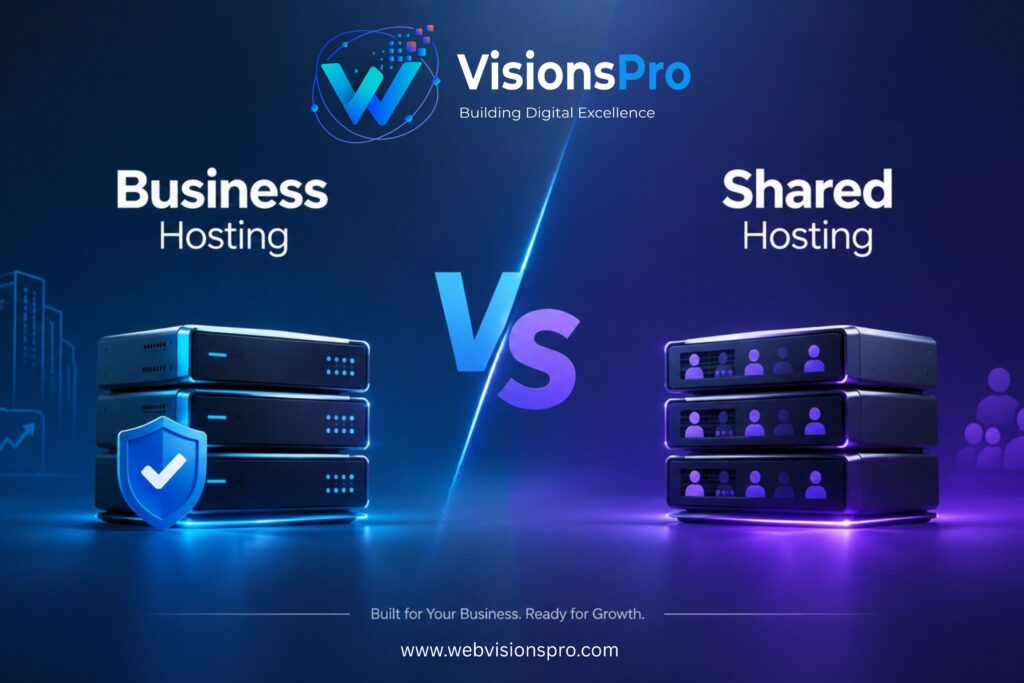
Business Hosting vs Shared Hosting
| Factor | Business Hosting | Shared Hosting |
|---|
| Performance | Consistently fast, dedicated resources | Variable, depends on server load |
| Security | Advanced isolation, proactive scanning | Basic, shared risk with other sites |
| Storage | Higher SSD/NVMe storage limits | Lower storage, often capped |
| Bandwidth | Generous or unmetered | Limited or “fair use” capped |
| CPU | Reserved cores per account | Shared pool across many sites |
| RAM | Dedicated allocation | Shared, can be throttled |
| Email | Business-grade email hosting included | Basic email, limited accounts |
| SSL | Free SSL, often with extended validation options | Free basic SSL (Let’s Encrypt) |
| Daily Backup | Included in most plans | Often an add-on or weekly only |
| Scalability | Easy vertical scaling | Requires plan migration |
| Support | Priority, faster response | Standard queue, longer wait |
| Reliability | 99.9%+ uptime SLA common | Uptime varies by provider |
| Cost | Higher monthly cost | Very low monthly cost |
| Speed | Optimized with caching layers | Depends on server congestion |
| Traffic Handling | Handles spikes smoothly | Can slow down or time out |
| Resource Allocation | Guaranteed, isolated | Pooled, first-come basis |
| Control Panel | Advanced panel with staging tools | Standard cPanel/Plesk |
| Maintenance | Managed, automatic updates | Basic managed maintenance |
Performance Business Hosting vs Shared Hosting Comparison
Website speed is not just a nice-to-have. It directly affects how long visitors stay, whether they complete a purchase, and how Google ranks your pages.
Loading Speed
Business hosting plans typically run on NVMe or SSD storage paired with server-level caching, which means pages load noticeably faster, often under two seconds. Shared hosting can achieve similar speeds on a good day, but performance dips whenever the server gets busy with other accounts.
Server Resources
Because business hosting reserves CPU and RAM specifically for your account, a traffic spike on someone else’s site never eats into your performance. On shared hosting, that same spike can slow every site on the server, including yours, even if your own traffic hasn’t changed at all.
Caching
Most business hosting plans include built-in caching at the server level, whether that’s LiteSpeed Cache, Varnish, or a proprietary system. Shared hosting sometimes leaves caching entirely up to you, meaning you need a plugin like WP Rocket or W3 Total Cache to get comparable results.
Website Speed and Google Rankings
Google has confirmed that page experience signals, including loading speed, play a role in search rankings. A slow site does not just frustrate visitors; it can actively hold your pages back in search results, especially against competitors running faster infrastructure.
Traffic Spikes and “Noisy Neighbors”
One term that comes up often in hosting discussions is the “noisy neighbor” problem. On a shared server, if one account suddenly gets a burst of visitors, perhaps because of a viral post or a poorly configured plugin looping requests, that spike eats into the CPU and memory available to every other account on the same machine. Your site did nothing wrong, yet it slows down anyway.
Business hosting solves this by walling off resources per account. Even if another customer on the same physical hardware experiences a traffic surge, your reserved CPU cores and RAM stay untouched. This is one of the most practical, real-world reasons agencies and e-commerce stores move away from shared hosting even when their own traffic hasn’t changed.
Time to First Byte and Core Web Vitals
Time to First Byte, often shortened to TTFB, measures how quickly a server starts responding once a browser requests a page. It is one of the clearest fingerprints of hosting quality, since it reflects server processing speed before any images or scripts even load.
Business hosting plans typically post noticeably lower TTFB numbers because of dedicated resources and server-side caching. That improvement flows directly into Core Web Vitals metrics like Largest Contentful Paint, which Google uses as part of its page experience evaluation. A site with a fast TTFB has a real head start on hitting good Core Web Vitals scores, while a site on a congested shared server often struggles no matter how well the front-end code is optimized.
The Bottom Line on Performance
If your website’s speed directly affects sales, leads, or trust, business hosting’s consistency is worth paying for. If your traffic is low and predictable, shared hosting can perform just fine.
Security Business Hosting vs Shared Hosting Comparison
Business Hosting vs Shared Hosting
Malware Protection
Business hosting plans usually include proactive malware scanning and automatic removal. Shared hosting often relies on basic scanning, sometimes only triggered manually or after a problem is already reported.
Firewall Protection
Business hosting typically layers a web application firewall on top of the server, filtering out malicious traffic before it ever reaches your site. Shared hosting firewalls tend to be more generic, protecting the server as a whole rather than your specific website.
Isolation
This is one of the biggest differences. Business hosting accounts are isolated in containers or virtual environments, so a security issue on another account cannot spread to yours. On shared hosting, isolation is weaker, and in rare cases a compromised neighbor can create risk for everyone on that server.
Backups
Daily automated backups are standard with most business hosting plans, often stored offsite for extra safety. Shared hosting backups are frequently weekly, sometimes with limited retention, and full restores can come with extra fees.
DDoS Protection
Business hosting providers commonly include DDoS mitigation as part of the package. Shared hosting protection against these attacks tends to be more basic, since it needs to cover the entire shared server rather than tailor protection to your account.
SSL Certificates
Both hosting types typically offer free SSL through Let’s Encrypt, which is enough for standard encryption needs. Business hosting sometimes adds options for extended validation certificates, useful for e-commerce sites that want the extra trust signal.
Automatic Updates
Business hosting plans often handle core software, plugin, and security patch updates automatically. On shared hosting, keeping everything updated is frequently left to the website owner, which becomes a security gap if updates get forgotten.
Account Isolation in Practice
It helps to picture how isolation actually works behind the scenes. Business hosting typically places each account inside its own container or virtual environment, with its own set of processes and file permissions. If one account gets compromised, the damage is contained to that container, similar to how a fire door stops flames from spreading between rooms in a building.
Shared hosting, by contrast, often runs many accounts under a shared set of server processes with looser separation. A misconfigured file permission or an outdated plugin on one account can, in rare but documented cases, be used to access files on neighboring accounts through what’s known as a cross-account contamination issue. Reputable shared hosting providers have improved their isolation significantly over the years, but it still tends to be weaker than what business hosting offers by design.
Compliance and Customer Trust
For businesses in regulated or trust-sensitive industries, security is not just a technical checkbox. A law firm, medical clinic, or financial services site handling sensitive client information has both a professional obligation and a reputational stake in keeping that data secure. Business hosting’s stronger isolation, proactive scanning, and daily backups make it easier to demonstrate due diligence if a client or regulator ever asks how customer data is protected.
Pricing Business Hosting vs Shared Hosting Comparison
Shared Hosting Pricing
Shared hosting plans generally start between $2 and $8 per month, especially with an introductory discount. Renewal prices are usually higher, so it is worth checking what the cost looks like in year two, not just at signup.
Business Hosting Pricing
Business hosting plans typically range from $10 to $40 per month, depending on the provider and the resources included. Some providers price by CPU cores and RAM, while others bundle everything into tiered packages.
Long-Term Value
At first glance, shared hosting looks like the obvious money-saver. But once you factor in the cost of downtime, lost sales from slow load times, and the price of add-ons like daily backups or advanced security that come bundled free with business hosting, the gap narrows quickly.
Return on Investment
For a business generating real revenue, even a small improvement in page speed or uptime can pay for the price difference many times over. A single hour of downtime during a sale, or a checkout page that loads slowly and loses a few customers, can easily cost more than a year’s difference between the two plans.
A Simple Way to Think About the Math
Imagine a small online store making $3,000 a month in sales. Studies on page speed consistently show that even a one-second delay in load time can reduce conversions by a noticeable percentage. If a slow shared hosting plan is costing that store even a five percent drop in conversions, that’s roughly $150 a month in lost revenue, which is often more than the entire monthly cost of a business hosting upgrade.
The same logic applies to downtime. If a site goes offline for two hours during a weekend sale, and average hourly sales are $100, that’s $200 in direct lost revenue from a single outage, not counting the customers who simply don’t come back. When the numbers are laid out this way, the “extra” cost of business hosting often turns out to be the cheaper option over a full year.
Hidden Costs to Watch For
Beyond the sticker price, it’s worth checking what each plan actually includes before comparing costs side by side. Shared hosting plans sometimes charge extra for daily backups, staging environments, or premium support, while business hosting plans often bundle these in as standard. Always compare the fully-loaded cost of each plan, not just the advertised monthly rate.
Which Hosting is Best for Small Businesses?
Hostinger
Different businesses have different risk tolerances and traffic patterns. Here is how the decision typically breaks down by niche.
Local Business
A local service business with a simple contact page and service list can often start on shared hosting, then move to business hosting once online bookings or inquiries become a meaningful revenue source.
Agency
Agencies managing multiple client websites benefit from business hosting almost immediately, since one slow or compromised client site should never risk the performance of every other site under the same account.
Restaurant
Restaurants relying on online ordering or reservation systems need consistent uptime, especially during peak hours like Friday and Saturday nights. Business hosting is the safer choice here.
Law Firm
Law firms handling sensitive client inquiries should prioritize the stronger isolation and security business hosting offers, given the trust and confidentiality expectations of legal clients.
Medical Clinic
Clinics collecting patient information through appointment forms should lean toward business hosting for the added security layers, even if full compliance hosting is a separate consideration.
Dentist
Similar to medical clinics, dental practices benefit from the reliability of business hosting, particularly if the site handles appointment requests or patient forms.
Real Estate
Real estate websites with high-resolution property photos and virtual tours need the storage and speed that business hosting provides, since slow-loading listings can push potential buyers to a competitor’s site.
Portfolio
A personal portfolio site for a designer, photographer, or freelancer can typically run well on shared hosting, especially early in a career when budget matters more than scale.
Blog
Blogs with steady, moderate traffic often do fine on shared hosting. If a post goes viral or ad revenue becomes a meaningful income source, upgrading to business hosting prevents a slowdown at the worst possible moment.
WooCommerce
Any WooCommerce store processing real transactions should be on business hosting. E-commerce sites are more resource-intensive, and checkout page slowdowns directly cost sales.
SaaS Startup
A SaaS startup’s marketing site can start on shared hosting, but as soon as user signups, demos, or trial requests are being generated, business hosting’s reliability becomes worth the investment.
When Should You Upgrade?
Watch for these warning signs that your current shared hosting plan has become a bottleneck.
- Slow website. Pages that used to load quickly now take three, four, or five seconds, even during normal traffic.
- Traffic increase. A marketing campaign, press mention, or seasonal spike is pushing more visitors than your plan was designed for.
- Frequent downtime. Your site goes offline more than once every few months, or you’re getting downtime alerts from monitoring tools.
- Resource limits. Your host is sending warnings about CPU or memory usage, or your site occasionally shows a resource-limit error page.
- Poor Core Web Vitals. Google Search Console or PageSpeed Insights consistently flags slow Largest Contentful Paint or high Cumulative Layout Shift scores tied to server response time.
If two or more of these apply to you right now, it is a strong signal that business hosting will solve real, measurable problems rather than being an unnecessary upgrade.
Common Mistakes
- Choosing hosting based on price alone. The cheapest plan often costs more later in lost traffic, lost sales, or emergency migrations. A $3 monthly savings rarely covers the cost of a single bad day of downtime.
- Ignoring renewal pricing. Many shared hosting deals look great for year one, then double or triple at renewal. Always check the second-year price before signing up, not just the introductory offer.
- Not checking uptime guarantees. A host with no stated SLA has no real accountability if your site goes down. Look for a specific percentage, such as 99.9%, and read what compensation is offered if it’s missed.
- Skipping backups. Relying on a host’s basic backup without confirming frequency and restore process is a common regret. Ask specifically how far back backups go and how long a restore actually takes.
- Overlooking support quality. Cheap hosting often means long support wait times exactly when you need help most. Test support responsiveness with a pre-sales question before committing.
- Not planning for growth. Choosing a plan that fits today’s traffic without any room for next year’s growth means a stressful, rushed migration later.
- Ignoring server location. Hosting your audience in the US on a server based far away can add unnecessary latency. Choose a data center close to where most of your visitors are located.
- Failing to test speed before committing. Many hosts offer trial periods; skipping this step means finding out about problems after you’ve already migrated your site and content.
- Neglecting security add-ons. Assuming basic hosting security is enough for a site handling customer data or payments can leave real gaps in protection.
- Migrating without a plan. Waiting until a crisis, a crash, a hack, or a traffic spike, to think about upgrading, instead of upgrading proactively before the problem hits.
- Overlooking email hosting quality. Business email running through a hosting plan with limited inboxes or poor deliverability can quietly hurt client communication.
- Not reading independent reviews. Relying only on a hosting provider’s own marketing page instead of checking independent speed tests and user reviews before committing.
How to Switch Without Losing Traffic or Rankings
If you decide to move from shared hosting to business hosting, the migration itself matters just as much as the decision. A poorly handled switch can cause temporary downtime, broken links, or even a dip in search rankings if it’s not done carefully.
Start with a full backup. Before touching anything, make sure you have a complete, verified backup of your files and database, stored somewhere other than your current host.
Choose a low-traffic window. Schedule the migration during your quietest hours, typically late at night or early morning for your primary audience’s time zone, to minimize the impact of any temporary hiccups.
Keep the old server live during DNS propagation. DNS changes can take anywhere from a few minutes to 48 hours to fully propagate. Keep your old hosting account active until you’ve confirmed the new server is receiving all traffic correctly.
Test everything before pointing DNS. Use a temporary URL or a local hosts file edit to preview your site on the new server before making it live, checking forms, checkout flows, and page speed.
Monitor after the switch. Watch your analytics and Search Console for a week or two after migration to catch any crawl errors, broken redirects, or unexpected ranking changes early.
A carefully planned migration typically causes zero noticeable disruption to visitors or search rankings, while a rushed one is where most horror stories come from.
Conclusion
When it comes to business hosting vs shared hosting, the right choice depends on where your business actually stands today, not where you hope to be someday. Shared hosting remains a reasonable, budget-friendly starting point for simple sites with light, predictable traffic. But once your website starts driving real revenue, collecting customer data, or representing a brand people need to trust at first glance, business hosting earns back its higher price through speed, security, and reliability.
For most small businesses generating leads or sales online in 2026, business hosting is the smarter long-term investment.
Call to Action
Choosing the right hosting plan is not just a technical decision. It directly shapes your SEO performance, your website security, your conversion rates, and how much customers trust your brand. Take a few minutes to review your current traffic, growth plans, and risk tolerance, then choose the hosting plan that supports where your business is headed, not just where it started.