WordPress vs Shopify for Small Business: The Complete 2026 Guide
WordPress vs shopify for small business. Choosing between WordPress and Shopify is one of the first big decisions you’ll make as a small business owner building a website in 2026. Get it right, and your site becomes a real growth engine that keeps paying you back in leads, sales, and search visibility for years. Get it wrong, and you’ll spend a year fighting a platform that was never built for your kind of business, then face the cost of rebuilding anyway.
This guide compares WordPress vs Shopify for small business owners across every factor that actually matters: cost, ease of use, design freedom, SEO, security, mobile performance, and which platform fits which type of business. We’ll also walk through real scenarios, common mistakes, and a practical budget for year one, so you’re not just comparing features in the abstract. By the end, you’ll know exactly which one to choose, and why, without needing to become a developer yourself first.
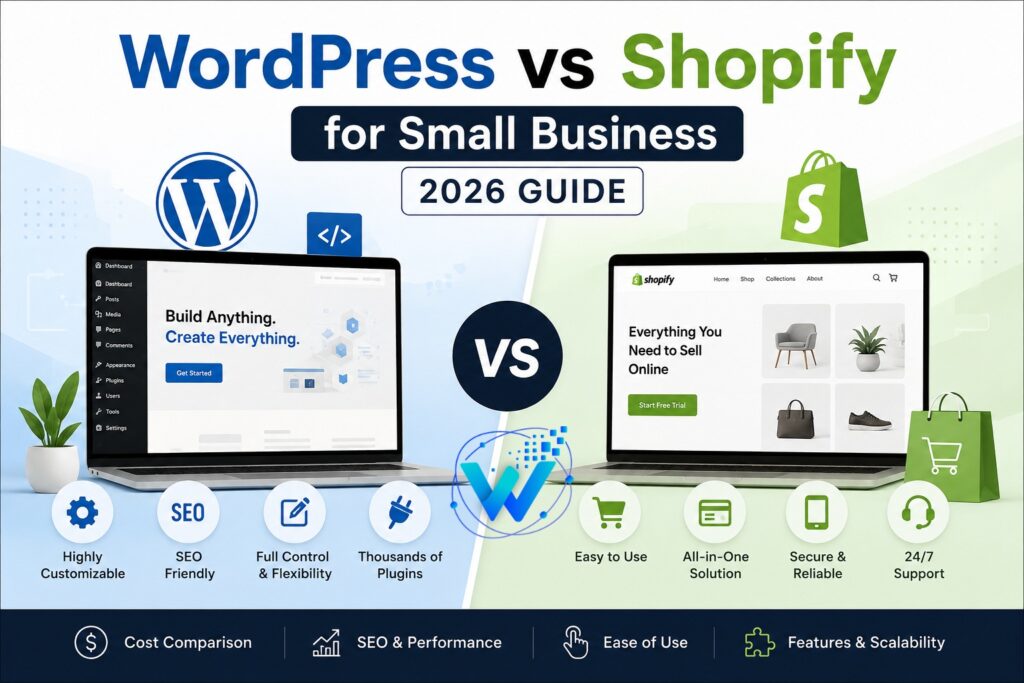
Quick Answer: WordPress vs Shopify for Small Business
If you only have sixty seconds, here’s the short version. There’s no objectively “best” platform between the two — only the one that matches how your business actually makes money and how you want to spend your time running it.
- WordPress is usually the better choice for service-based small businesses — real estate, coaching, consulting, events, local services — where the website’s job is to build trust, share content, and capture leads.
- Shopify is usually the better choice for small businesses that primarily sell physical or digital products online and want built-in checkout, inventory, and payments without managing the technical side.
- WordPress + WooCommerce is the best middle ground if you want ecommerce features but also want full content control and lower long-term costs.
Now let’s break down exactly why, starting with what each platform actually is.
What Is WordPress?
WordPress is a free, open-source content management system that powers a massive share of websites worldwide, and that share keeps growing every year as more businesses move away from closed, proprietary builders. Anyone can download and run the core software for free, and an enormous ecosystem of developers and designers builds themes and plugins on top of it. You can read more about the project directly at WordPress.org.
Because it’s open-source, WordPress can become almost anything. A coach can turn it into a lead-generation site with a booking calendar. A real estate agent can turn it into a property listing platform. An ecommerce founder can add WooCommerce and turn it into a full online store. There’s no single mold you’re forced into.
Who WordPress Is Built For
WordPress fits small businesses that want full ownership of their content, design, and data. You’re not locked into one company’s ecosystem, and you can move your site to any hosting provider whenever you choose. The tradeoff is responsibility — you, or your developer, manage hosting, updates, and security. Done correctly, this is a one-time setup cost, not an ongoing burden.
What Is Shopify?
Shopify is a hosted, paid ecommerce platform built specifically for selling products online, and it has grown into one of the dominant platforms for small and mid-sized online stores worldwide. The company handles your hosting, security, and core infrastructure, so you’re not making technical decisions about servers or uptime on your own. You can explore the platform directly at Shopify.com.
You pick a theme, add products, connect a payment processor, and your store is live. Shopify’s biggest strength is removing nearly all the technical guesswork around running an online store.
Who Shopify Is Built For
Shopify fits small businesses that want to focus on products and customers, not server management. Payment processing, tax calculation, shipping integrations, and inventory tracking all come built in or are a one-click app install away. The tradeoff is flexibility and long-term cost — you’re working inside Shopify’s structure, and leaving the platform later means migrating your entire catalog and SEO history elsewhere.
Ease of Use: WordPress vs Shopify for Small Business Owners
This is where the comparison genuinely depends on what kind of site you’re running.
Day-to-Day Management for Content and Lead-Gen Sites
For pure content and lead-generation sites, WordPress is very approachable once it’s built. Updating a service page, publishing a blog post, or swapping a testimonial takes a few minutes with a modern page builder like Elementor or the native block editor. Most of the learning curve happens during the initial setup, not afterward.
Day-to-Day Management for Online Stores
For running an online store specifically, Shopify wins on simplicity. Adding a product, setting variants, processing a refund, or checking your sales dashboard is all designed around store owners, with no plugin compatibility issues to worry about. WordPress with WooCommerce can match almost all of this functionality, but it takes more initial configuration.
Which Is Easier for a Non-Technical Owner?
Shopify has a gentler day-to-day curve for store management because one company built the entire dashboard. WordPress’s flexibility comes from combining a CMS with separate plugins, which is more powerful but involves more moving parts. If your business isn’t primarily a product store, a well-built WordPress site is usually easier to manage long-term, since you’re not paying for or navigating ecommerce tools you’ll never use.
Design and Customization
WordPress wins clearly on visual flexibility. With thousands of themes and page builders, a developer can build essentially any layout you can imagine — a cinematic hero video for a fitness coach, an interactive property search for a realtor, or a multi-step intake form for a consultant. There’s no ceiling, because you have full access to the underlying code.
Theme Flexibility
Shopify themes have improved a lot and offer strong design options for product-focused layouts. But you’re working inside Shopify’s Liquid templating system, which is more rigid than WordPress. Highly custom, non-store pages — like a detailed neighborhood guide or a multi-step coaching application — are harder to build natively and often need custom app development.
Page Builder Power
If your brand depends on a distinctive, non-template-feeling website, WordPress gives a developer far more room to deliver that. If your priority is a clean, conversion-optimized product catalog, Shopify’s design system gets you there faster, with less custom work required.
E-Commerce Features: WooCommerce vs Shopify
This comparison matters most if products are even part of your plan.
What Shopify Includes Out of the Box
Checkout, payment processing, and tax calculation are built in and proven at massive scale. Inventory management, shipping labels, and fulfillment tools are native. A vast app store covers almost any feature gap, from subscriptions to product reviews. Performance and uptime stay reliable because Shopify manages the infrastructure. Transaction fees apply unless you use Shopify Payments, and app subscriptions add up as your store grows.
What WooCommerce Includes
WooCommerce is a free WordPress plugin, so there’s no recurring platform fee — you pay for hosting and any premium extensions you choose. You get full control over checkout, product pages, and customer data. It’s easier to combine ecommerce with non-store content, like a blog, booking calendar, or membership area, all on one site. It does take more setup work to match Shopify’s out-of-the-box polish, and scaling to a very large catalog with complex variants requires more careful planning.
For a small store that also needs to function as a brand and content hub, WooCommerce often makes more sense. For a business that’s purely “sell products online, at volume, with minimal technical involvement,” Shopify is built exactly for that job.
Cost Comparison: What Will You Actually Pay?
When you weigh WordPress vs Shopify for small business budgets specifically, pricing is where owners get surprised most often, because the sticker price isn’t the whole story on either platform.
Shopify Pricing Breakdown
Monthly subscription plans typically range from around $29 a month for a basic tier up to several hundred dollars a month for advanced tiers. Transaction fees apply on top of your subscription unless you use Shopify’s own payment processor. Premium themes range from free to $200 or more. Apps for reviews, email marketing, upsells, and advanced SEO often carry their own monthly fees, and these add up quickly as your store grows. Domain and SSL are usually included.
WordPress Pricing Breakdown
The WordPress software itself is free. Hosting is a separate ongoing cost — shared hosting starts cheap, while managed WordPress hosting runs higher but reduces maintenance work. A quality premium theme is typically a one-time cost rather than recurring. Essential plugins for SEO, forms, and security mostly come with solid free options. WooCommerce itself is free, and payment gateway fees still apply, but there’s no separate platform fee stacked on top.
Side-by-Side Cost Snapshot
| Cost Factor | WordPress + WooCommerce | Shopify |
|---|---|---|
| Platform fee | None (open-source) | Monthly subscription required |
| Hosting | Separate cost, you choose the provider | Included in subscription |
| Transaction fees | Depends only on payment gateway | Extra fee unless using Shopify Payments |
| Themes | Usually a one-time purchase | Usually a one-time purchase |
| Apps and plugins | Many strong free options | Many require ongoing subscriptions |
| Long-term cost (3+ years) | Generally lower for content-heavy sites | Can climb as apps and tiers scale up |
The general pattern holds across most small businesses: WordPress tends to be cheaper over the long run, especially for sites that aren’t pure ecommerce stores. Shopify’s costs are more predictable month to month, which some owners genuinely prefer, even when the total ends up higher.
SEO and Site Performance: WordPress vs Shopify for Small Business Growth
Both platforms can rank well in 2026. Neither one has a built-in SEO advantage baked into the platform itself — what matters more is how the site is built and maintained.
WordPress SEO Strengths
Plugins like Yoast SEO give granular control over titles, meta descriptions, schema markup, and sitemaps. Full control over URL structure and content types makes it easier to build out a wide content strategy targeting many keywords. Page speed depends on hosting quality and theme choice, but a well-built WordPress site is very fast. Because WordPress excels at blogging, it’s generally the stronger pick if your SEO strategy depends on publishing regular guides and articles.
Shopify SEO Strengths
Built-in SEO settings cover titles, meta descriptions, and alt text without needing a plugin. Site speed is generally solid out of the box since Shopify controls the hosting environment. URL structure has fixed conventions, like /products/ and /collections/ prefixes, which limits some advanced SEO strategies. Native blogging exists but is less feature-rich than WordPress, which matters if content marketing drives a big part of your growth plan.
If your growth strategy leans on content marketing and long-tail keyword targeting — one of the most affordable ways for a small business to compete with bigger players — WordPress generally gives you more room to execute that well.
Security and Maintenance
Shopify handles security at the platform level. PCI compliance, server security, and infrastructure updates are Shopify’s responsibility, not yours. This is a real advantage for owners who don’t want to think about security at all.
WordPress puts security in your hands, or your developer’s hands. This means more responsibility, but also more control. A WordPress site on quality managed hosting, with regular updates and a security plugin in place, is just as secure as any hosted platform. The actual risk with WordPress isn’t the software — it’s neglect. Sites left unmaintained for years with outdated plugins are where problems happen, not sites that are actively cared for.
Mobile Experience and App Ecosystem
More than half of all web traffic in 2026 comes from mobile devices, so this comparison matters as much as desktop design does.
Shopify themes are mobile-responsive by default, and because Shopify controls the entire technical environment, performance stays consistent across stores. Shopify also offers a dedicated mobile app for owners to manage orders and check sales on the go.
WordPress mobile responsiveness depends entirely on the theme and the build quality. A well-built WordPress site performs just as well on mobile as a Shopify store, sometimes better, since a developer has full control over load times and layout. The risk sits with poorly built, outdated WordPress sites carrying heavy, unoptimized themes. Mobile performance on both platforms ultimately comes down to execution rather than the platform itself.
Customer Support: Who Helps You When Something Breaks?
This is an underrated factor for owners without an in-house developer.
With Shopify, support comes directly from Shopify — live chat, email, and phone support are included with your subscription. Because Shopify controls the whole stack, their team can usually diagnose platform-level issues directly. App-specific problems typically route through the app developer instead.
With WordPress, no single company owns the whole experience. Your host, theme developer, and plugin developers are often three different companies. This is the tradeoff for flexibility — more pieces means more places to look when something breaks, but also no lock-in to one company’s pricing or support quality. Most small business owners solve this by working with a developer or agency on an ongoing basis, giving them a single point of contact who understands the whole site.
Scalability: What Happens as You Grow?
Both platforms scale, just in different directions.
WordPress scales extremely well for content and traffic. Adding hundreds of blog posts or service pages doesn’t strain the platform, and hosting can be upgraded as traffic grows. It also scales well for feature complexity — booking systems, membership portals, and custom integrations can be added without switching platforms.
Shopify scales extremely well for transaction volume and catalog size. It’s built to handle stores processing thousands of orders a day without performance issues, something that requires careful planning on WordPress at that scale. If you expect to go from a small store to a high-volume ecommerce brand, Shopify is built to handle that path with less technical intervention.
AI and Automation Tools in 2026
Both platforms have leaned heavily into AI features over the past two years, and it’s worth knowing what each one offers.
AI Tools on WordPress
WordPress’s block editor includes AI-assisted content suggestions, and plugins now offer AI-generated alt text, meta descriptions, and even full draft pages. Because WordPress is open, you can mix and match AI tools from different providers rather than being limited to one vendor’s roadmap.
AI Tools on Shopify
Shopify has built AI features directly into product descriptions, customer service chat, and inventory forecasting. These tools are tightly integrated and require very little setup, which fits Shopify’s broader philosophy of removing technical friction for store owners.
Neither platform has a decisive AI advantage for a small business in 2026 — both are investing heavily, and the gap that mattered a couple of years ago has mostly closed.
Which Platform Fits Your Type of Small Business?
Generic advice only goes so far. Here’s how this plays out across common categories.
Real Estate Agents and Agencies
WordPress is typically the better fit. Real estate sites need property listings, IDX/MLS integration, neighborhood content, and a blog for local SEO — all things WordPress handles natively through plugins, while giving full content ownership. Shopify’s product-and-checkout structure doesn’t map well to real estate at all.
Coaches and Consultants
WordPress is the stronger choice here too. The website’s job is building trust and capturing leads through content and booking forms, not processing a high volume of transactions. WordPress lets you combine a polished service site with a content strategy that builds authority over time.
Event Planners and Venues
WordPress, generally, for the same reasons as coaching: informational, trust-building, lead-capture-focused, with room to add booking calendars and galleries without ecommerce overhead.
Small Ecommerce and Product-Based Businesses
This is where Shopify genuinely shines. If you’re selling physical products and want a fast, low-maintenance setup with reliable checkout and built-in inventory tools, Shopify lets you focus on product and marketing instead of technical upkeep. WooCommerce remains strong if you also want a content-rich site alongside your store.
Local Service Businesses
Contractors, salons, fitness studios, and restaurants almost always do better on WordPress. These businesses need a fast, informative site with booking or contact capability and strong local SEO, not a full ecommerce engine.
Professional Services and Nonprofits
Law firms, accountants, and nonprofit organizations benefit from WordPress’s content depth and lower long-term cost, especially since these sites rarely need transactional checkout features.
Hybrid Businesses
A coach who also sells digital products, or a venue that also sells merchandise, usually fits best on WordPress with WooCommerce, since it avoids paying for two separate platforms while still supporting a small store.
If you’re still weighing your specific situation, our team at WebVisionsPro builds both WordPress and Shopify sites every week and can walk through what actually fits your business.
Why This Decision Matters More in 2026
A few years ago, picking the “wrong” platform was annoying but survivable. That’s less true now. Search behavior has shifted toward AI-powered answers and zero-click results, which means your site’s structure, speed, and content depth directly affect whether you show up at all, not just where you rank. A slow, poorly structured site on either platform increasingly gets skipped entirely, both by human visitors and by the AI tools more people are using to find local businesses.
This is part of why the WordPress vs Shopify for small business conversation isn’t just a technical preference anymore. The platform you choose shapes how easily you can publish the kind of structured, helpful content that both Google and AI assistants reward. It also shapes your total cost of ownership at a time when every dollar in a small business budget matters more than it did five years ago.
None of this means one platform has quietly become “wrong.” It means the gap between a well-built site and a poorly built one has gotten more expensive to ignore, regardless of which platform you land on.
Real-World Scenarios: WordPress vs Shopify for Small Business
Abstract comparisons only go so far. Here’s how three common small business owners actually worked through this decision.
Scenario 1: A Solo Real Estate Agent
An independent realtor wanted a site to showcase listings, build local credibility, and capture buyer and seller leads. She considered an all-in-one real estate platform first, then a Shopify store a friend recommended, before settling on WordPress with an IDX integration and a lead-capture form on every page. The blog became her biggest lead source within a year, something neither of the other two options would have supported nearly as well, since neither is built around long-form local content.
Scenario 2: A Life Coach Launching Group Programs
A life coach needed a site that could handle a booking calendar, a blog for thought leadership, and eventually a small shop for digital workbooks. She chose WordPress with WooCommerce added later, once the digital products were ready. This let her launch quickly with just the content and booking pieces, then add ecommerce without rebuilding anything, which kept her upfront cost low while she validated demand.
Scenario 3: A Boutique Candle Brand
A small candle business with twenty product variants wanted to start selling online fast, without managing technical details herself. She chose Shopify, had a working store live within two weeks, and used built-in apps for email marketing and abandoned cart recovery. For her, the priority was speed to launch and minimal ongoing technical involvement, and Shopify delivered exactly that.
Three different businesses, three different right answers. None of them is “more correct” than the others. Each owner matched the platform to what her business actually needed to do.
Common Mistakes Small Business Owners Make When Choosing
A few patterns show up again and again.
Choosing based on what a competitor uses. Your competitor’s platform choice reflects their business model, not necessarily yours. A real estate agent copying an ecommerce brand’s Shopify setup will end up fighting the platform.
Underestimating ongoing costs. Shopify’s app fees and WordPress’s hosting and maintenance costs both compound over time. Budget for year two and year three, not just launch month.
Ignoring content strategy. If blogging and SEO content are core to your growth plan, picking Shopify without a clear plan for its weaker blogging tools often becomes a regret within the first year.
Skipping professional setup. Both platforms perform dramatically better when built correctly the first time — wrong hosting, bloated themes, and missing SEO foundations cause more underperformance than the platform choice itself ever does.
Treating the platform as a one-time decision. Both WordPress and Shopify evolve constantly, with new features, themes, and plugins released every month. Owners who pick a platform and never revisit their setup tend to fall behind owners who review their site’s performance and tools at least once a year.
Comparing list prices instead of total cost of ownership. A $29-a-month Shopify plan and a $5-a-month hosting plan look very different on paper, but once you add the apps, premium plugins, payment processing, and maintenance time each option actually requires, the real gap is often much smaller than the sticker prices suggest. Always compare what you’ll spend in year one and year three, not just the cheapest entry point.
Can You Switch Later? A Note on Migration
It’s worth addressing directly, whichever way the WordPress vs Shopify for small business decision goes for you. Switching platforms later is possible, but not trivial. Moving from Shopify to WordPress means migrating your product catalog, customer data, and order history, then rebuilding SEO equity around any new URL structures. Moving from WordPress to Shopify involves similar challenges in reverse, plus adapting custom functionality to Shopify’s app ecosystem.
In practice, a migration project usually involves three separate workstreams running at the same time: exporting and re-importing your content and product data without losing formatting or images, setting up 301 redirects from every old URL to its new equivalent so you don’t lose search rankings overnight, and rebuilding any custom functionality, like booking forms or membership areas, that doesn’t transfer automatically between platforms. None of these steps is impossible, but skipping any one of them is usually what causes businesses to lose traffic during a switch.
The practical lesson: spend real time on this decision upfront. A migration project, done properly with redirects and SEO preservation, is a meaningful investment of both time and budget, so getting it right the first time saves real money later.
Budget Planning: What to Set Aside in Year One
Numbers help more than generalities, so here’s a realistic range for a small business in year one on each platform.
On Shopify, expect to budget roughly $400 to $1,200 for the year once you account for the monthly subscription, a couple of essential paid apps, and a premium theme if you choose one. Transaction fees scale with your sales volume, so a higher-revenue store will naturally pay more here.
On WordPress, expect to budget roughly $200 to $800 for the year, covering hosting, a premium theme, and a small number of premium plugins if needed. If you’re adding WooCommerce, factor in any paid extensions for shipping or payment gateways specific to your business.
Both ranges assume you’re either building the site yourself with some technical comfort or working with a freelancer or small agency rather than a large firm. Either way, treat the first year’s number as a floor, not a ceiling — most small businesses end up adding tools, apps, or features once the site is live and they see what’s actually driving results.
Decision Checklist
Before you settle the WordPress vs Shopify for small business question for good, run through these questions honestly.
- Is your primary goal to sell physical products at volume? Lean Shopify.
- Is your primary goal to generate leads, bookings, or consultations? Lean WordPress.
- Do you plan to publish a lot of blog content for SEO? Lean WordPress.
- Do you want the absolute lowest technical involvement possible? Lean Shopify.
- Do you want the lowest long-term cost, even with more upfront setup? Lean WordPress.
- Do you need a highly custom, brand-specific design? Lean WordPress.
- Are you running both a content-driven site and a small store? Lean WordPress with WooCommerce.
- Do you expect to scale into high-volume ecommerce quickly? Lean Shopify.
If you land on both sides, that’s completely normal. Most small businesses do, which is exactly why this decision deserves a real conversation before you build anything.
Frequently Asked Questions
Is WordPress or Shopify better for SEO in 2026? Neither platform has a built-in SEO advantage. Rankings depend on site structure, content quality, and ongoing optimization. WordPress generally offers more flexibility for content-heavy SEO strategies, while Shopify offers a simpler, more guided SEO setup out of the box.
Is Shopify more expensive than WordPress? Usually, yes, over the long term, especially once apps and transaction fees are factored in as your store grows. WordPress has more upfront setup work but typically lower ongoing platform costs.
Can I sell products on WordPress without Shopify? Yes. WooCommerce, a free WordPress plugin, turns any WordPress site into a fully functional online store with product pages, checkout, and inventory management.
Which platform is easier for a complete beginner? For pure store management, Shopify has a gentler learning curve. For general website management, a well-built WordPress site with a good page builder is also very approachable once it’s set up correctly.
Do I need a developer for either platform? You can technically DIY both, but a professionally built site almost always outperforms a self-built one in speed and search visibility. This matters more for WordPress, where setup choices have a bigger long-term impact than on Shopify’s more guided environment.
Is WordPress safe and reliable in 2026? Yes. WordPress powers a very large share of the web precisely because the ecosystem is mature and well-supported. Security issues almost always trace back to outdated plugins or poor hosting, not the platform itself.
Can I run a blog on Shopify the same way I can on WordPress? Shopify has built-in blogging, but it’s noticeably less robust than WordPress’s, with fewer formatting options and weaker SEO tooling for content marketing.
What’s the best platform for a small business on a tight budget? WordPress, in most cases, because there’s no recurring platform fee. Your main ongoing cost is hosting, which can be very affordable for a small site.
How long does it take to build a WordPress or Shopify site? A straightforward small business website on either platform typically takes one to four weeks, depending on complexity, content readiness, and whether ecommerce functionality is involved.
Which platform is better for local SEO? WordPress generally has the edge for local SEO, since plugins offer more granular control over location pages, schema markup, and the kind of localized content that helps small businesses rank in their service area.
Can I use both WordPress and Shopify together? Yes, some businesses run a WordPress site for content and lead generation while linking out to a separate Shopify store for transactions, though this adds complexity in keeping branding and navigation consistent across two platforms. For most small businesses, WooCommerce on a single WordPress site is the simpler path to the same outcome.
How often do I need to update or maintain the site after launch? On WordPress, plan for monthly core, theme, and plugin updates along with regular backups, either handled by you or a maintenance plan. On Shopify, platform updates happen automatically, so your ongoing work is mostly limited to managing apps, themes, and content rather than core software maintenance.
Getting Started: What to Prepare Before You Build
Whichever way you land on WordPress vs Shopify for small business needs, a few things make the build process faster and smoother no matter which platform you choose.
Have your branding basics ready first: a logo, your core colors, and any existing brand guidelines. If you don’t have these yet, most developers can help establish them as part of the project, but having a starting point speeds things up considerably.
Gather your content before development begins, not during it. This means your service descriptions, team bios, testimonials, and any photos or product images you want to use. Projects that stall midway almost always stall because content wasn’t ready, not because of a technical problem.
Decide on your must-have features upfront. A booking calendar, a product catalog, a contact form, an email newsletter signup — list these out before you start, since they affect both the platform choice and the build timeline. Adding major features after launch is always possible, but it’s smoother when planned for from the beginning.
Finally, set a realistic budget range, including ongoing costs, not just the upfront build. Both platforms reward owners who think a year or two ahead instead of just focused on launch day.
Final Verdict on WordPress vs Shopify for Small Business
There’s no universal “better” platform, only a better fit for your specific business. If you’re running a service-based business that lives or dies by trust, content, and lead generation, WordPress is very likely the smarter long-term investment. If your business is fundamentally about selling physical products online at scale with minimal technical overhead, Shopify is purpose-built for that job.
And if you’re somewhere in between, WordPress with WooCommerce often ends up being the most flexible, cost-effective answer.
The platform matters less than getting the build right. What actually moves the needle is clean structure, fast performance, solid SEO foundations, and a design that converts visitors into customers, regardless of which platform delivers it.
If you’re still unsure which direction fits your specific business, that’s worth talking through before you build anything. We work with both WordPress and Shopify every week across real estate, coaching, events, and ecommerce clients — browse our $80 starter website package on Fiverr or reach out directly to talk through what fits your business. If hosting is your next question, our hosting guide for small businesses covers that in detail.